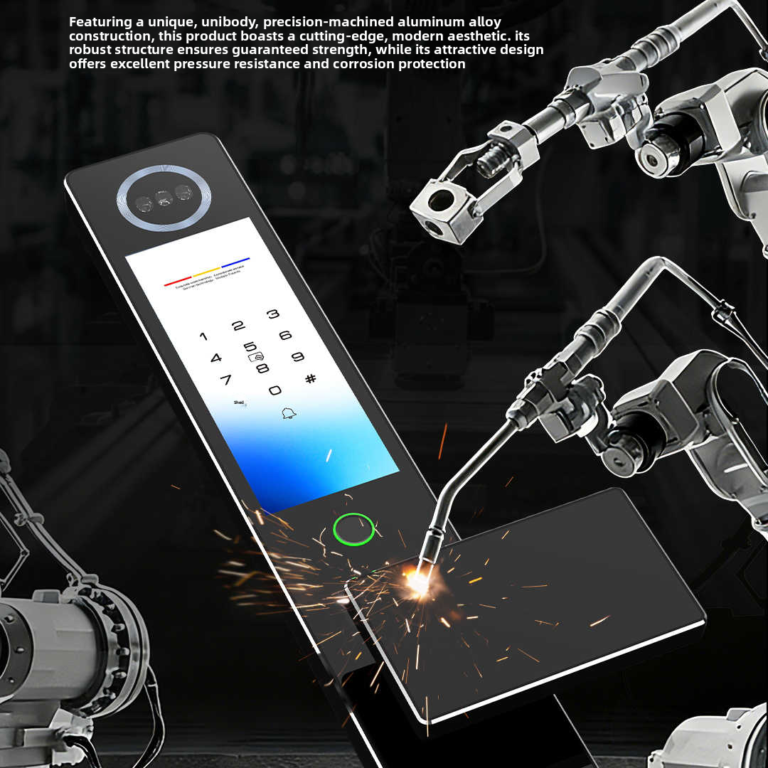
Smart door locks are becoming increasingly popular in modern homes, apartments, hotels, offices, and commercial buildings. Unlike traditional mechanical locks that rely entirely on physical keys, smart door locks use electronic technology to provide convenient, flexible, and intelligent access control.
But how exactly do smart door locks work? Can they really protect your home against burglars and unauthorized access? Are fingerprint locks, password locks, Bluetooth locks, and Wi-Fi smart locks safe enough for everyday use?
In this guide, we will explain how smart door locks work, explore their main security technologies, compare different unlocking methods, and discuss what you should consider when choosing a reliable smart door lock.
1. What Is a Smart Door Lock?
A smart door lock is an electronic locking system that allows users to lock and unlock doors through digital authentication methods instead of relying only on traditional keys.
Depending on the model, users can unlock a smart door lock using:
-
Fingerprint recognition
-
Digital passwords or PIN codes
-
RFID cards and key fobs
-
Bluetooth connectivity
-
Wi-Fi remote access
-
Smartphone applications
-
Facial recognition
-
Traditional mechanical keys as backup
Most smart locks combine an electronic control system, authentication module, motorized locking mechanism, and power supply.
The main advantage is that users can manage access more conveniently while maintaining control over who can enter a property.
2. How Do Smart Door Locks Work?
Smart door locks work by combining electronic identification, data processing, and mechanical locking technology.
When someone attempts to unlock the door, the system first verifies their identity. If the authentication information matches an authorized user, the electronic controller activates the motor or unlocking mechanism.
Here is how the process works.
Step 1: User Authentication
The user provides identification through a fingerprint, password, RFID card, smartphone, or another supported method.
For example, when using a fingerprint smart lock, the fingerprint sensor captures the user’s fingerprint characteristics and compares them with the authorized fingerprint data stored in the system.
Step 2: Data Processing
The smart lock’s main control board processes the authentication information.
A microcontroller or embedded processor manages communication between the fingerprint sensor, keypad, wireless module, and motor driver.
If the information is valid, the system sends an unlocking command.
Step 3: Electronic Unlocking
After successful authentication, the controller activates an electronic motor or solenoid mechanism.
The motor rotates the internal locking mechanism, retracting the deadbolt or unlocking the latch.
The user can then open the door without using a conventional key.
Step 4: Automatic Relocking
Many smart door locks support automatic locking.
After the door closes, a sensor detects the door’s position and triggers the locking mechanism according to the configured settings.
Some models also provide alerts if the door remains unlocked for an extended period.
3. What Technologies Do Smart Door Locks Use?
Different smart door locks use different technologies to authenticate users and communicate with other devices.
Fingerprint Recognition Technology
Fingerprint recognition is one of the most popular unlocking methods.
The fingerprint sensor captures unique fingerprint patterns and compares them with previously registered information.
Modern fingerprint locks commonly use semiconductor or optical fingerprint sensors.
Advantages include:
-
No need to remember passwords.
-
No physical key required.
-
Convenient access for authorized family members.
-
Fast authentication in normal operating conditions.
However, fingerprint recognition performance can be affected by wet, dirty, damaged, or poorly positioned fingers.
Password and Keypad Technology
Password-based smart locks use an electronic keypad to verify PIN codes.
Users enter a predefined password, and the control system checks whether it matches an authorized code.
Some advanced models support temporary passwords, one-time passwords, and virtual passwords.
Virtual passwords allow users to enter additional random digits before or after the actual password to make it harder for someone to observe the correct combination.
RFID Technology
RFID smart locks use radio frequency identification to recognize authorized cards or key fobs.
When an RFID card approaches the reader, the system reads its identification data and checks whether access is permitted.
This technology is widely used in hotels, apartments, offices, and commercial access control systems.
Security depends on the RFID technology and credential protection used. Not all RFID cards provide the same level of security.
Bluetooth and Wi-Fi Connectivity
Bluetooth smart locks communicate directly with nearby smartphones, while Wi-Fi-enabled models can connect to a home network.
These technologies allow users to:
-
Unlock doors through mobile applications.
-
Manage access permissions remotely.
-
Receive access notifications.
-
Create temporary digital keys.
-
Check door lock status.
Wi-Fi and Bluetooth provide convenience, but secure encryption, authentication, and software updates are important to prevent unauthorized access.
4. Are Smart Door Locks Really Secure?
Yes, well-designed smart door locks can provide strong security. However, no locking system is completely impossible to bypass.
Smart door lock security depends on several factors, including electronic protection, mechanical construction, authentication technology, wireless communication, and installation quality.
A smart lock may offer better access management than a traditional lock, but its digital features also introduce additional security considerations.
Here are five important aspects to understand.
4.1 Encryption and Data Protection
Smart locks that communicate with smartphones or wireless networks should use secure communication protocols.
Encryption helps protect authentication information and communication data from unauthorized interception.
Manufacturers should implement secure credential storage, authentication mechanisms, and protection against replay attacks.
4.2 Anti-Tampering Protection
Some smart locks include anti-tampering alarms.
If someone attempts to remove the lock, damage the exterior panel, or repeatedly enter incorrect passwords, the system may activate an alarm or send a notification.
These features help improve security awareness and discourage unauthorized access.
4.3 Mechanical Locking Structure
Electronic security is only one part of door lock protection.
The mechanical structure is equally important.
A reliable smart door lock should have:
-
Strong deadbolt construction.
-
Durable internal gears and locking components.
-
A secure lock body.
-
Appropriate resistance to physical attacks.
-
Compatibility with a suitable door and frame.
Even the most advanced fingerprint recognition system cannot compensate for a weak mechanical locking structure.
4.4 Password and User Management
Users should avoid simple passwords such as 123456 or repeated digits.
It is also important to delete access permissions for former employees, tenants, or other users who no longer require entry.
Temporary passwords and access schedules can help reduce unnecessary access privileges.
4.5 Firmware and Software Updates
Smart door locks with network connectivity may require firmware updates to fix security vulnerabilities and improve system performance.
Users should choose manufacturers that provide reliable technical support and security updates.
5. What Happens If a Smart Door Lock Runs Out of Battery?
Battery failure is one of the most common concerns when purchasing an electronic door lock.
Most smart door locks use rechargeable lithium batteries or replaceable alkaline batteries.
When the battery level becomes low, many models provide warnings through:
-
Voice announcements.
-
Low-battery indicators.
-
Mobile application notifications.
-
Audible warning signals.
Some models also provide an emergency USB charging interface or an external emergency power connection.
Depending on the model, a mechanical key can serve as an additional backup unlocking method.
Important: Before purchasing a smart lock, check its emergency power solution and whether it supports mechanical backup access.

6. Smart Door Lock vs. Traditional Door Lock: Which Is More Secure?
Both traditional and smart door locks have advantages and limitations.
| Feature | Traditional Door Lock | Smart Door Lock |
|---|---|---|
| Unlocking | Physical key | Fingerprint, PIN, card, app |
| Remote access | No | Available on supported models |
| Access management | Limited | Multiple user permissions |
| Entry records | Usually unavailable | Available on some models |
| Battery required | No | Usually yes |
| Cybersecurity risks | No digital connection | Depends on connectivity |
| Emergency access | Spare key | Backup key or emergency power, depending on model |
A traditional mechanical lock does not have internet-related vulnerabilities, while a smart lock offers more flexible access management.
For many households and businesses, a high-quality smart lock with strong mechanical construction and properly implemented electronic security can provide an excellent combination of convenience and protection.
7. How to Choose a Secure Smart Door Lock
Choosing the right smart door lock requires more than comparing prices and appearance.
Here are seven important factors to consider.
1. Choose Reliable Fingerprint Recognition
Look for fingerprint sensors with accurate recognition, fast response times, and reliable performance under everyday conditions.
2. Check the Lock Body Material
The lock body, deadbolt, internal gears, and other mechanical components should be made from durable materials.
3. Look for Anti-Peeping Password Protection
Virtual password functionality helps prevent others from easily observing the correct PIN.
4. Check Wireless Security
If the lock supports Bluetooth or Wi-Fi, check whether it uses encrypted communication and secure authentication.
5. Consider Multiple Unlocking Methods
Fingerprint, password, RFID card, smartphone, and mechanical key options provide greater flexibility.
6. Check Battery Life and Emergency Access
Choose a model with battery warnings and a practical emergency unlocking solution.
7. Consider Manufacturer Quality and Technical Support
A reliable manufacturer should provide product documentation, installation instructions, warranty support, and firmware maintenance where applicable.
These considerations are consistent with the security principles outlined in the ETSI residential smart door lock specification, which addresses cybersecurity, credential protection, mechanical security, and electromechanical security.
Cyber Security (CYBER); Cyber+1
8. What Are the Most Common Smart Door Lock Security Risks?
Although smart locks offer many benefits, users should understand their potential vulnerabilities.
| Potential Risk | Possible Solution |
|---|---|
| Weak passwords | Use strong, unique passwords |
| Unauthorized app access | Enable account protection |
| Wireless communication attacks | Choose encrypted communication |
| Physical tampering | Select anti-tampering designs |
| Outdated firmware | Install security updates |
| Battery failure | Maintain backup power options |
| Lost access cards | Delete lost credentials immediately |
It is important to remember that security depends on the entire system rather than a single feature. A fingerprint sensor alone does not guarantee that a smart lock is secure.
9. Are Smart Door Locks Worth Buying?
For most modern homes, apartments, hotels, and commercial properties, smart door locks offer significant advantages.
They eliminate the inconvenience of carrying physical keys, simplify access management, and provide additional functions that traditional locks generally cannot offer.
For homeowners, fingerprint recognition and password unlocking make daily access easier.
For landlords and property managers, temporary passwords and user management can simplify tenant access.
For hotels and commercial buildings, RFID cards and centralized access management can improve operational efficiency.
However, buyers should prioritize product quality, mechanical protection, reliable electronic components, and manufacturer support rather than choosing a smart lock based solely on its appearance or number of features.
10. Frequently Asked Questions About Smart Door Locks
Q1: Can Smart Door Locks Be Hacked?
Yes, smart door locks can potentially be compromised through software vulnerabilities, weak passwords, insecure wireless communication, or compromised user accounts. Choosing a manufacturer with strong security practices and keeping firmware updated can reduce these risks.
Q2: Can Smart Door Locks Work Without Wi-Fi?
Yes. Many smart locks support local fingerprint, password, RFID, or Bluetooth unlocking without an internet connection. However, remote unlocking and cloud-based notifications may require Wi-Fi.
Q3: Can Someone Unlock a Smart Door Lock With a Fake Fingerprint?
The risk depends on the fingerprint sensor and its anti-spoofing capabilities. Advanced biometric sensors may incorporate liveness detection, but no biometric system should be assumed completely immune to spoofing.
Q4: What Happens If I Lose My Smartphone?
Most smart locks offer alternative unlocking methods, such as fingerprints, PIN codes, RFID cards, or mechanical keys. You should also revoke the lost phone’s digital access credentials where supported.
Q5: Are Smart Door Locks Suitable for Hotels and Apartments?
Yes. Smart locks are widely suitable for residential buildings, hotels, rental properties, and offices. RFID cards, temporary passwords, and centralized access management can make property management more convenient.
Q6: How Long Do Smart Door Lock Batteries Last?
Battery life varies depending on the battery capacity, unlocking frequency, motor design, and wireless connectivity. Always check the manufacturer’s specifications and battery replacement recommendations.
Conclusion: Choose a Smart Door Lock That Combines Convenience and Security
Smart door locks combine biometric recognition, electronic passwords, RFID technology, wireless communication, and mechanical locking systems to provide modern access control.
They can be secure and reliable when designed with appropriate cybersecurity protection, durable mechanical components, and dependable emergency access features.
For buyers, distributors, wholesalers, and property developers, selecting the right smart door lock manufacturer is an important step toward achieving long-term product reliability and security.
Looking for reliable smart door lock products?
Visit SUIK Smart Lock to explore smart door lock solutions, including fingerprint smart locks, digital keypad locks, RFID smart locks, and other intelligent door access products.
Whether you are sourcing smart locks for residential projects, hotels, apartments, or commercial applications, choosing the right product and manufacturer can help you deliver a better combination of convenience, functionality, and security.