
Installing a WiFi smart door lock is a popular way to improve home security, simplify daily access, and manage your door remotely. Unlike traditional mechanical locks, WiFi smart locks allow homeowners to lock and unlock doors using a smartphone, enter through passwords or fingerprints, and monitor access activity from almost anywhere.
But how much does it actually cost to install a WiFi smart door lock? The total cost depends on the lock’s features, hardware quality, installation method, door compatibility, and whether professional installation is required.
In this guide, we will explain the typical installation costs, the factors that affect pricing, and how to choose a WiFi smart door lock that offers the best value.
1. What Is the Average Cost of Installing a WiFi Smart Door Lock?
In the United States, installing a WiFi smart door lock generally costs between $200 and $500, including the lock and professional installation. Premium models with fingerprint recognition, advanced security features, or additional smart home integrations can cost more.
Here is a general price breakdown:
|
WiFi Smart Lock Type |
Estimated Hardware Cost |
Installation Cost |
|---|---|---|
|
Basic WiFi Smart Lock |
$80–$150 |
$75–$150 |
|
Keypad WiFi Smart Lock |
$100–$200 |
$75–$150 |
|
Fingerprint WiFi Smart Lock |
$150–$300 |
$75–$180 |
|
Premium Smart Door Lock |
$250–$500+ |
$100–$250 |
These are indicative estimates rather than fixed prices. Actual costs vary depending on the manufacturer, installation requirements, and location.
For most residential applications, a mid-range WiFi smart lock provides a good balance between affordability, convenience, and security.
2. What Factors Affect WiFi Smart Door Lock Installation Costs?
Several factors determine the final installation price.
1. Smart Lock Features
Basic WiFi smart locks generally cost less than advanced models. Additional features such as fingerprint recognition, facial recognition, touchscreen keypads, RFID cards, and remote access can increase the purchase price.
2. Door Compatibility
If your existing door already has a compatible deadbolt opening, installation is usually straightforward.
However, older doors or doors with non-standard dimensions may require additional drilling, adjustments, or hardware modifications.
3. Professional Installation vs. DIY
Many residential WiFi smart locks are designed for DIY installation. Homeowners with basic tools and technical knowledge can often install them without professional assistance.
Professional installation is recommended when the door requires modifications or when the lock must be integrated with a larger access control system.
4. WiFi Connectivity
Some WiFi smart locks have built-in WiFi connectivity, while others require an additional WiFi gateway or bridge.
A separate gateway may increase the initial purchase cost but can provide remote unlocking, access management, and real-time notifications.
5. Additional Security Features
Advanced security features may also influence the overall budget, including:
-
Anti-peeping virtual passwords
-
Automatic locking
-
Tamper alarms
-
Low-battery warnings
-
Temporary access codes
-
Real-time access notifications
-
Remote access management
3. Is It Cheaper to Install a WiFi Smart Lock Yourself?
Yes. DIY installation can significantly reduce the total cost.
Most residential smart door locks come with installation instructions, mounting accessories, and smartphone applications.
A typical DIY installation involves:
-
Removing the existing mechanical deadbolt.
-
Checking the door thickness and lock dimensions.
-
Installing the exterior and interior lock components.
-
Connecting the wiring or battery components if required.
-
Downloading the manufacturer’s mobile application.
-
Connecting the lock to your WiFi network.
-
Testing passwords, remote unlocking, and automatic locking.
However, incorrect installation can cause alignment problems, unreliable locking, or connectivity issues. Always follow the manufacturer’s instructions and test the mechanical key or emergency access method.
4. What Features Should You Look for When Buying a WiFi Smart Door Lock?
Choosing the right WiFi smart door lock is just as important as considering installation costs.
Here are some important features to evaluate.
Remote Unlocking
Remote access allows homeowners to control their door locks through a smartphone application, even when they are away from home. This is particularly useful when family members or visitors need temporary access.
Fingerprint Recognition
Fingerprint access provides a convenient alternative to traditional keys and passwords. It is especially useful for households with multiple users.
Multiple Unlocking Methods
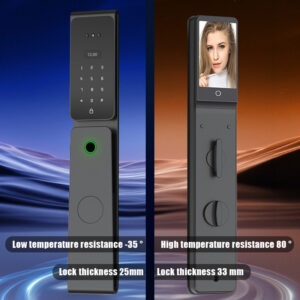
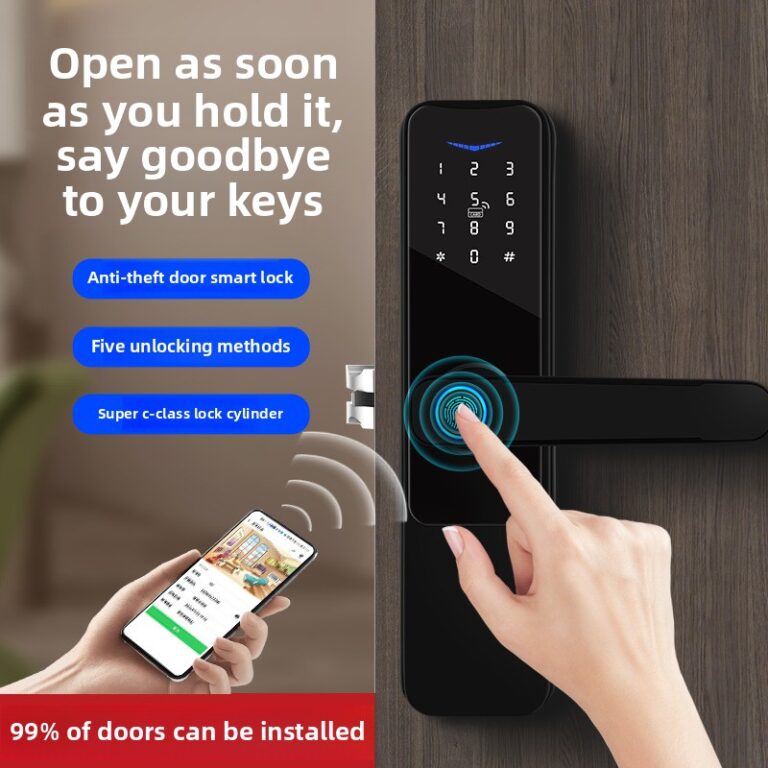
A versatile smart door lock should support several access methods, such as:
-
Fingerprint recognition
-
Password or PIN code
-
RFID card
-
Smartphone application
-
Mechanical key
Having multiple unlocking options provides greater flexibility.
Real-Time Notifications
Access notifications allow homeowners to monitor when the door is locked or unlocked and identify which authorized user accessed the property.
Battery and Emergency Access
Look for low-battery alerts, emergency power options, and a mechanical key backup where available.
5. Are WiFi Smart Door Locks Worth the Installation Cost?
For many homeowners, WiFi smart door locks are worth the investment because they provide convenience and more flexible access management.
Compared with traditional locks, WiFi smart locks offer several advantages:
-
No need to carry traditional keys for everyday access.
-
Remote locking and unlocking through a smartphone.
-
Easier access management for family members and guests.
-
Temporary passwords for visitors and service providers.
-
Access records and security notifications.
-
Integration with compatible smart home systems.
For rental properties, vacation homes, apartments, and small businesses, these features can make daily property management much easier.
However, buyers should check WiFi compatibility, encryption and security features, battery life, and the manufacturer’s software support before purchasing.
6. How Can You Reduce the Cost of Installing a WiFi Smart Door Lock?
If you want to upgrade your door security without spending too much, consider these suggestions:
-
Choose a smart lock compatible with your existing door.
-
Select a model with built-in WiFi to avoid purchasing a separate gateway.
-
Compare different unlocking methods and avoid paying for unnecessary features.
-
Consider DIY installation if the door is compatible and the manufacturer supports it.
-
Purchase locks with reliable warranties and after-sales support.
-
Compare the total cost of the lock, accessories, and installation rather than looking only at the product price.
A slightly more expensive smart lock with better reliability and compatibility may offer greater long-term value.
7. Frequently Asked Questions About WiFi Smart Door Lock Installation
Q1: How long does it take to install a WiFi smart door lock?
Most standard residential installations take approximately 30–90 minutes. More complicated installations involving door modifications may take longer.
Q2: Does a WiFi smart door lock require a monthly subscription?
Not necessarily. Many WiFi smart locks provide basic smartphone control and remote access without monthly fees. However, some manufacturers charge additional fees for cloud storage, advanced features, or subscription-based services.
Q3: Can I install a WiFi smart door lock on my existing door?
Yes. Most residential smart locks are designed to replace conventional deadbolts. However, you should check the door thickness, backset, mounting hole dimensions, and lock compatibility before purchasing.
Q4: Can I unlock my WiFi smart door lock when I am away from home?
Yes. Models with supported remote access functionality allow you to lock or unlock the door through a smartphone application. An internet connection and the required WiFi configuration are necessary.
Q5: What happens if the WiFi connection stops working?
Many WiFi smart locks continue to support local unlocking methods, including fingerprints, passwords, RFID cards, or mechanical keys. Remote smartphone access may become temporarily unavailable until connectivity is restored.
Q6: Are WiFi smart door locks suitable for hotels and rental properties?
Yes. Smart locks with temporary passwords, user management, access records, and remote administration can be particularly useful for hotels, apartments, and short-term rental properties.
8. Conclusion: Choose the Right WiFi Smart Door Lock for Your Budget
The cost of installing a WiFi smart door lock depends on the hardware, installation requirements, and features you choose. For a typical residential installation, budgeting approximately $200–$500 for the lock and professional installation is a reasonable starting point.
Instead of choosing a smart lock based on price alone, consider its security features, connectivity, unlocking methods, compatibility, durability, and after-sales service.
Whether you are upgrading a family home, managing rental apartments, or purchasing smart locks for a hotel project, selecting the right manufacturer and product configuration can help you achieve better long-term value.


Hi, this is a comment.
To get started with moderating, editing, and deleting comments, please visit the Comments screen in the dashboard.
Commenter avatars come from Gravatar.